Self-Hosted AI Agents: Keep Code Behind the Firewall
A practical architecture for self-hosted AI agents: keep code local, narrow the control plane, isolate runners, and give every agent its own identity.
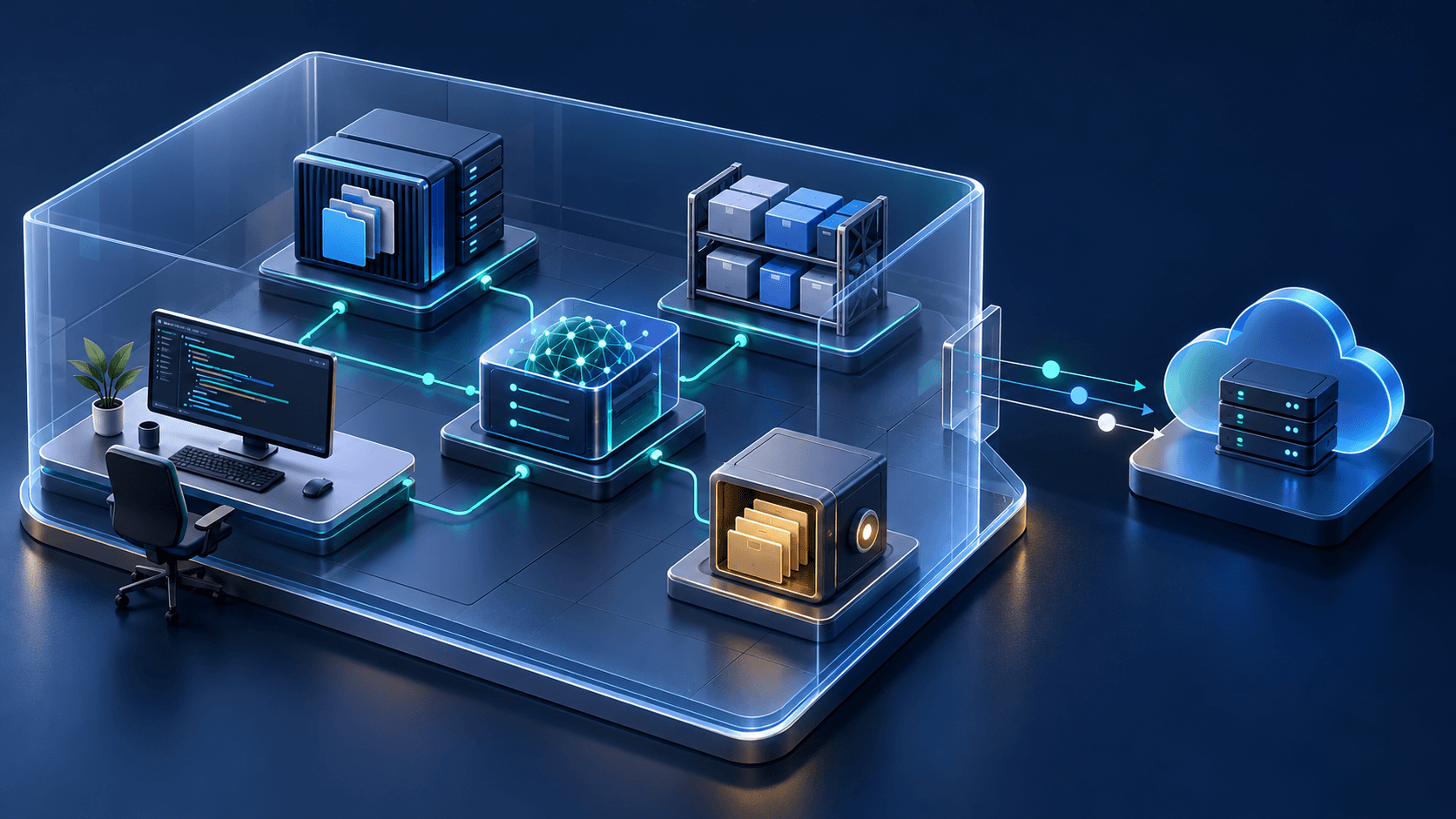
Self-hosted AI agents run the agent process, repository checkout, build tools, and execution environment on infrastructure your organization controls. That boundary matters when source code cannot leave a private network, but it does not make an agent private by magic. Model requests, telemetry, credentials, and coordination data can still cross the line unless you design each path deliberately.
That distinction is easy to miss. “Self-hosted” is often used to describe everything from a local command-line agent to a cloud session running on a private runner. Those systems have different data paths and different failure modes. Before installing anything, draw the boundary and list what crosses it.
What does self-hosted mean for an AI agent?
A self-hosted AI agent executes its working session on infrastructure you operate: a developer machine, an on-premises server, a private-cloud runner, or an air-gapped environment. The code checkout and tool execution can stay there. Model inference, control-plane events, logs, and integrations may still use external services, depending on the product and configuration.
The useful question is not “Is it self-hosted?” Ask five narrower questions:
- Where is the repository cloned?
- Where do shell commands and builds run?
- Where does model inference run?
- Which events and artifacts leave the network?
- Who holds the credentials for Git, package registries, cloud accounts, and MCP servers?
IBM’s October 2026 announcement is a good example of the stricter end of the spectrum. Its self-hosted Bob deployment supports on-premises, private-cloud, sovereign-cloud, and air-gapped environments, with supported models running inside the customer environment or external model services connected through a hybrid configuration. The point is control over code, application context, and data residency, not simply a different installation command (IBM announcement).
Claude Code shows why the label needs inspection. Its self-hosted environments run cloud sessions on customer-operated runners, so repository checkouts and build artifacts remain on controlled infrastructure. The documentation says session content goes to Anthropic even when model inference uses a supported alternate provider. A private runner and a private model endpoint therefore do not establish a fully private session. That can be the right design for a team, but it is not the same as fully local inference (Claude Code self-hosted environments).
Start with the data boundary
SyncStaff separates local code analysis from shared coordination. Parsing and index work run on the client; the coordination service receives project identity, repository-relative paths, task summaries, leases, decisions, and interface-change summaries. This avoids uploading the repository and its local index just to coordinate file ownership.
There is an important configuration detail: interface-change analysis includes short call-site lines by default. Set SYNCSTAFF_BLAST_INCLUDE_CONTEXT=0 to send paths and line numbers without those excerpts. Model features can also send supplied context to a configured provider. Review the SyncStaff data boundary and security posture and test the actual configuration before making a code-residency claim.
That split is useful beyond our product. It separates two jobs that teams often bundle together:
- Execution needs code. The agent must read files, run tools, build the project, and inspect test output.
- Coordination needs state. Other workers need to know who owns a file, what is changing, what is blocked, and which decision needs a person.
A deliberately limited coordination record can omit raw code, but optional context, summaries, and model integrations need their own review. File paths and task summaries can still reveal business context, so treat them as confidential metadata. They are simply a narrower exposure than an entire repository and its derived index.
Draw the boundary before choosing a product. Put the following components on the diagram:
| Component | Preferred location | What to check |
|---|---|---|
| Repository checkout | Controlled runner | Cleanup, tenant isolation, backup policy |
| Build and test tools | Controlled runner | Network access, writable paths, sandbox |
| Model inference | Explicit choice | Prompt retention, region, training policy |
| Credentials | Vault or short-lived identity service | Scope, lifetime, audit trail |
| Agent logs | Controlled log destination | Secrets filtering, retention, access |
| Coordination records | Local or hosted service | Exact fields sent, encryption, deletion |
| Artifacts | Controlled registry or storage | Provenance, signing, promotion rules |
If a vendor cannot tell you which box receives each item, the deployment is not ready for sensitive code.
Self-hosting does not replace sandboxing
Moving an agent inside your network gives it more useful access. It can reach private registries, internal documentation, databases, and deployment systems. That is the benefit and the risk.
A runner should not inherit the host’s entire authority. Start with the same controls you would use for an untrusted build job:
- Give each session an isolated checkout and workspace.
- Restrict writes to the repository or job directory.
- Deny network access by default, then allow only required destinations.
- Separate read-only development credentials from deployment credentials.
- Keep production access outside the ordinary agent path.
- Destroy short-lived runners and credentials after the session.
- Export an audit record before cleanup.
The practical mechanics differ by agent. Our Claude Code sandbox guide covers filesystem and network boundaries for shell commands. Codex worktrees isolate files between parallel sessions, though worktrees alone do not restrict credentials or network access.
OpenAI describes its own internal Codex deployment as a combination of sandboxing, approval policy, managed network rules, secure credential storage, and agent-native telemetry. The interesting part is the combination. A sandbox without identity controls still leaves a powerful credential in a small box. An audit trail without a boundary gives you a detailed account of the damage (OpenAI’s Codex safety deployment).
Give every agent its own identity
The fastest prototype usually runs under a developer’s identity. The agent inherits a Git token, package-registry login, cloud session, and whatever else happens to be in the environment. It works immediately. It also makes the audit log almost useless: the human and the agent look like the same actor.
NIST’s guidance is direct here. Agents should be first-class identities with their own identifiers, credentials, and entitlements. Shared API keys and long-lived bearer tokens create accountability gaps and often end up exposed in configuration files, Markdown, or logs (NIST on agent identity).
For a self-hosted coding agent, that means:
- Issue a session identity when the runner starts.
- Exchange it for short-lived credentials scoped to the current task.
- Bind credentials to the repository and required service where possible.
- Record which human or automation started the session.
- Revoke everything when the session ends.
Do not place deployment keys in a general runner image. When an agent needs a consequential permission, route that decision to a person. Our field notes on human checkpoints for AI agents explain how to keep those approvals rare enough that people still read them. For tool-specific controls, see Claude Code permissions for teams.
Decide what the control plane may know
Most useful self-hosted systems still have a control plane. It might dispatch work, show session status, coordinate several agents, or keep an audit history. “The runner is private” tells you nothing about what the runner reports.
Create an explicit outbound contract. A minimal coordination record might contain:
{
  "project": "payments-service",
  "agent": "review-17",
  "task": "check retry behavior",
  "paths": ["src/retry.ts", "tests/retry.test.ts"],
  "status": "in_progress"
}
Even this record is sensitive. It exposes the project name, file layout, and current work. It is still easier to classify, encrypt, retain, and delete than raw source code, prompts containing code, or a repository-wide embedding index.
For each outbound field, write down:
- why the remote service needs it;
- whether the field can be hashed, shortened, or omitted;
- how long it is retained;
- who can read it;
- whether customers can export and delete it;
- whether it is forwarded to another model or subprocessor.
This exercise tends to find accidental data flows early. Debug logs, crash reports, shell output, and model traces are common leaks because teams classify the repository but forget the exhaust around it.
What should you test before rollout?
Before a broad rollout, run a small job with deliberately recognizable canary data. Put unique fake values in a test repository, prompt, environment variable, tool response, and build log. Then inspect every destination you control: model logs, telemetry, the coordination service, crash reporting, job artifacts, and the runner after cleanup.
The test should answer these questions:
- Did source code appear anywhere outside the intended execution boundary?
- Did a secret value enter a prompt, log, trace, or artifact?
- Can one user’s runner see another user’s checkout?
- Does network policy block an unapproved destination?
- Can the agent write outside its workspace?
- Does the audit trail connect the human request, agent identity, approvals, commands, and result?
- Are credentials and working files gone after the session?
Repeat the test when you add a new MCP server, model provider, observability exporter, or deployment integration. Each one creates a new route across the boundary.
A practical rollout plan
Start with one repository that contains realistic tooling but no production secrets. Use one agent type, one runner image, and one model path. A small first deployment makes the boundary visible.
Phase 1: prove containment
Run read-only tasks. Confirm repository isolation, outbound network rules, log filtering, and cleanup. Keep credentials short-lived and scoped to the test repository.
Phase 2: allow bounded writes
Let the agent edit inside an isolated worktree and open a pull request. Require human approval for dependency changes, interface changes, and any request for broader access. Do not add deployment credentials yet.
Phase 3: add coordination
Connect multiple runners only after one runner’s data path is understood. Give each agent explicit file ownership and make overlapping claims fail before edits begin. The problem looks like an agent problem, but at this stage it is mostly a concurrency problem.
Phase 4: measure the operating cost
Track runner utilization, queue time, build-cache behavior, model cost, human review time, and cleanup failures. Self-hosting replaces some vendor infrastructure with your infrastructure. It can be the right trade, but the servers, images, patching, and incident response now belong to you.
Bring the agent to the code, carefully
Self-hosted AI agents are a strong fit when code residency, internal network access, custom tooling, or regulatory controls make a public execution environment unacceptable. The architecture gives you control over where work runs. It also makes you responsible for the runner, identity, network, logs, and cleanup.
Keep the design testable: code and credentials stay inside a declared boundary, every outbound field has a reason, each agent has a short-lived identity, and consequential actions stop for review. If several local agents share the same repository, SyncStaff coordinates their tasks and file ownership while parsing and indexing stay local. Review its outbound metadata and interface-context settings alongside the agent and model configuration. The useful benefit is a shared record of ownership and decisions with an explicit data contract.
Sources: IBM self-hosted Bob announcement, Claude Code self-hosted environments, OpenAI’s Codex safety deployment, and NIST’s agent identity guidance.
Frequently asked questions
What is a self-hosted AI agent?
A self-hosted AI agent runs its working session on infrastructure your organization operates, such as a developer machine, private-cloud runner, or on-premises server. The repository and tool execution can stay there, while model requests, logs, and control-plane data may still use external services depending on the configuration.
Do self-hosted AI agents keep all data private?
Not automatically. Self-hosting can keep repository checkouts and build artifacts on controlled infrastructure, but prompts, model requests, telemetry, crash reports, and coordination records may still leave the network. Review each data path and provider policy instead of treating the self-hosted label as a complete privacy guarantee.
Can AI coding agents run in an air-gapped environment?
Some platforms support air-gapped deployment, but the complete stack must work without an external control plane or model endpoint. Check model hosting, licensing, updates, package dependencies, authentication, telemetry, and support procedures. A local runner alone does not make the full system air-gapped.
How should a self-hosted coding agent access credentials?
Give each session its own identity and exchange it for short-lived credentials scoped to the current repository and task. Keep production keys out of general runner images, record which person or automation started the session, and revoke credentials when the runner finishes. Avoid shared developer tokens and static API keys.
When should an enterprise self-host its AI agents?
Self-host when code residency, access to private services, custom build tooling, or regulatory controls make a public execution environment unsuitable. Account for the operational cost as well: your team becomes responsible for runner images, patching, capacity, network policy, credential handling, cleanup, monitoring, and incident response.